Reactjs Signal Devtools
Documentation for Reactjs Signal Devtools
Overview
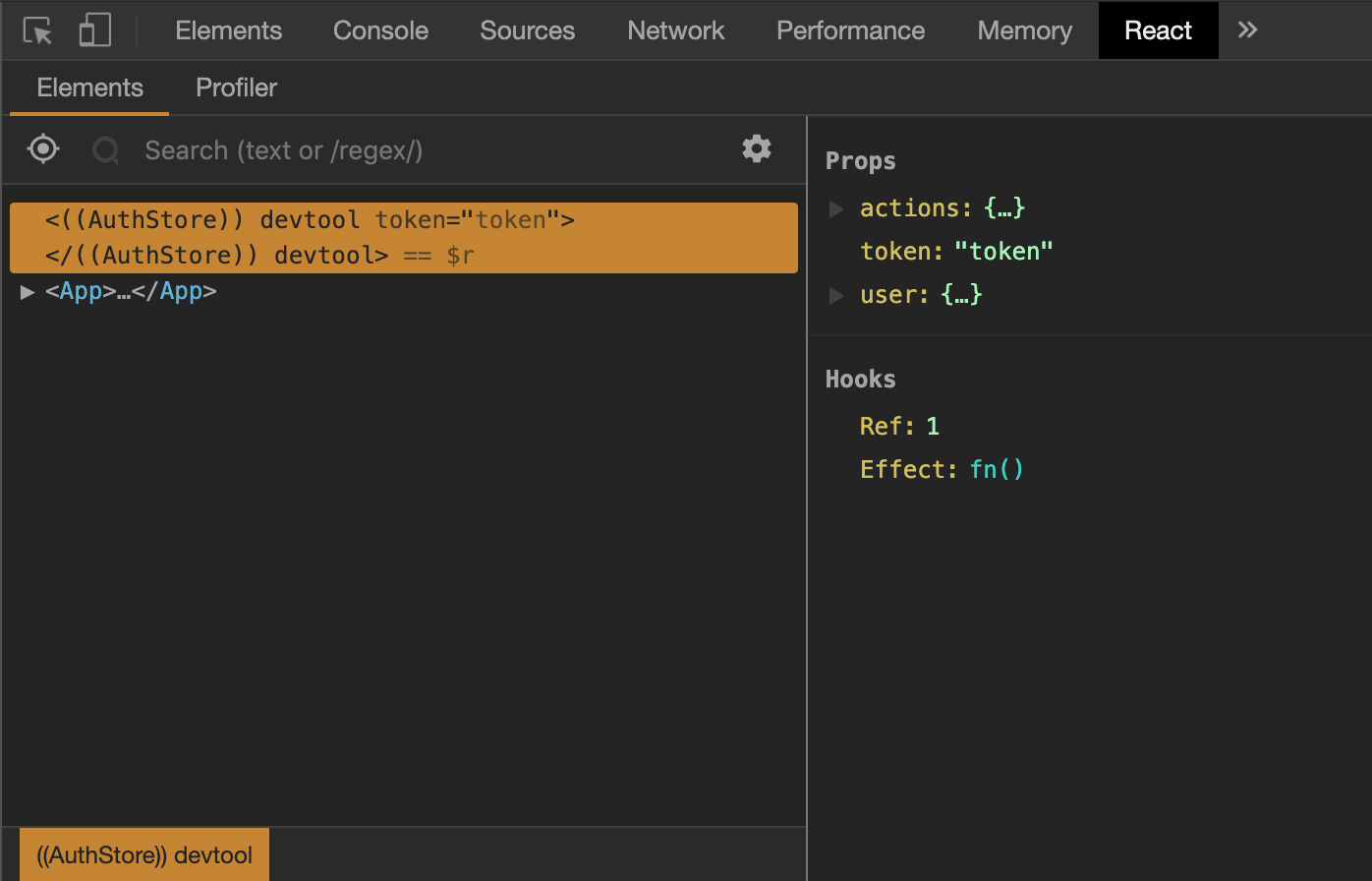
reactjs-signal-devtools is a debugging tool that allows you to inspect your reactjs-signal store directly in React DevTools 🐻⚛️
Monitor and debug your signal state changes in real-time using the familiar React DevTools interface.
Installation
Install the devtools package alongside reactjs-signal:
npm install reactjs-signal-devtoolsyarn add reactjs-signal-devtoolspnpm add reactjs-signal-devtoolsbun add reactjs-signal-devtoolsUsage
Import and mount the devtools in your development environment:
import { createSignal } from 'reactjs-signal';
import { mountStoreDevtool } from 'reactjs-signal-devtools';

export const signalCount = createSignal(0);

if (process.env.NODE_ENV === 'development') {
  mountStoreDevtool('Store', signalCount);
}
API
mountStoreDevtool(storeName, store, rootElement?)
Mounts the devtools for a specific signal store.
Parameters:
storeName(string): A descriptive name for your store that will appear in React DevToolsstore(TWritableSignal): The signal store you want to monitorrootElement(HTMLElement, optional): Custom DOM element to mount the devtools. If not provided, a default element will be created
Example with multiple stores:
import { createSignal } from 'reactjs-signal';
import { mountStoreDevtool } from 'reactjs-signal-devtools';

export const userStore = createSignal({ name: '', email: '' });
export const cartStore = createSignal({ items: [], total: 0 });

if (process.env.NODE_ENV === 'development') {
  mountStoreDevtool('User Store', userStore);
  mountStoreDevtool('Cart Store', cartStore);
}
Requirements
- React 18.0 or higher
- React DOM 18.0 or higher
- reactjs-signal 1.0 or higher
Best Practices
Development Only
Always wrap devtools in a development environment check to avoid including it in production builds:
if (process.env.NODE_ENV === 'development') {
  mountStoreDevtool('My Store', myStore);
}
Descriptive Store Names
Use clear, descriptive names for your stores to easily identify them in DevTools:
// ✅ Good
mountStoreDevtool('User Authentication', authStore);
mountStoreDevtool('Shopping Cart', cartStore);

// ❌ Avoid
mountStoreDevtool('Store1', store1);
mountStoreDevtool('s', store);
Troubleshooting
Devtools not appearing in React DevTools
- Ensure you're running in development mode
- Verify React DevTools extension is installed and active
- Check that the signal store is properly created with
createSignal - Confirm React version is 18.0 or higher
Multiple stores showing the same state
Make sure each store has a unique storeName when calling mountStoreDevtool.